
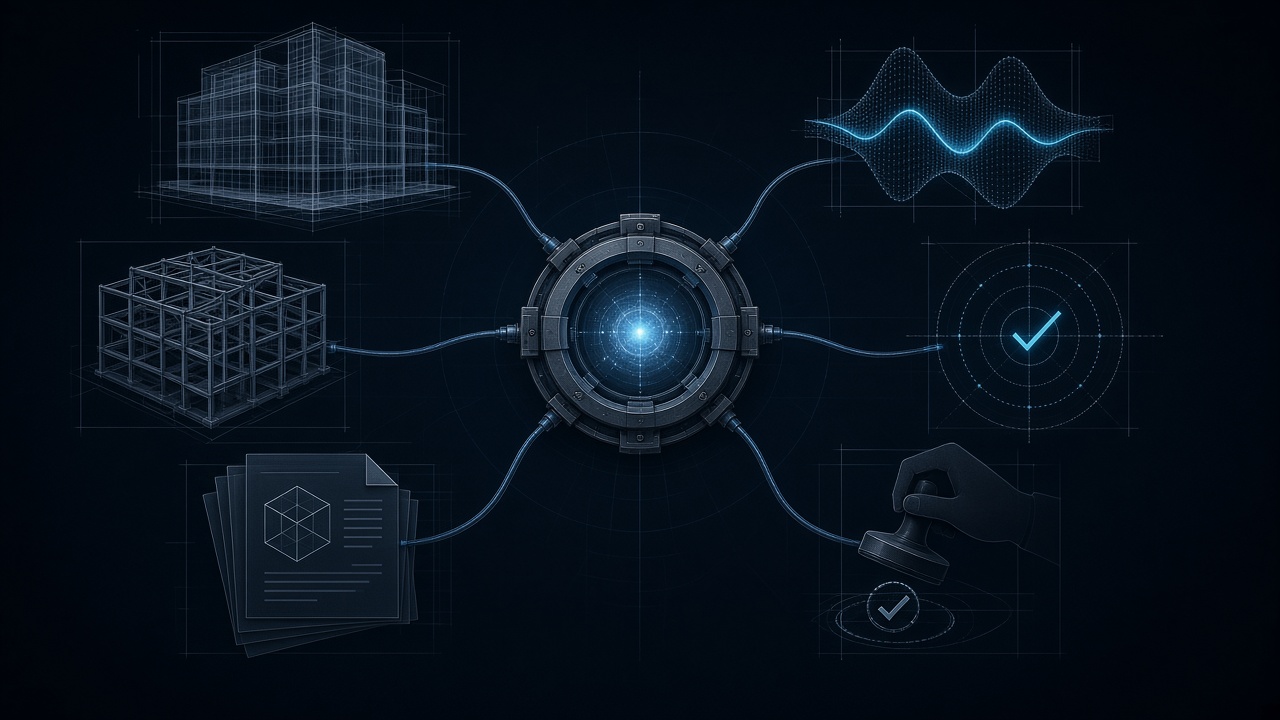
The harness is what you already do with a junior
You are the engineer in charge. You have to deliver a hydraulic study. You hand it to a junior engineer.
You do not just say “do the study.” You leave a frame:
- Which tools they may use (the office software, the flow spreadsheet, the GIS layer — not the public chat).
- What they must do (build the case, run the model, extract flows and warnings).
- What they must check before they bring anything back (units, the right reach, whether the model opened, whether it converged).
- What they must not invent if a datum is missing.
- What they must return (file, version, numbers with units, and where they stopped if it failed).
- What they do not sign: you review and you sign.
That frame — tools, instructions, checks, limits, and a return package — is exactly a harness when it surrounds an AI model. The model reasons and proposes, like the junior. The harness is the frame they work inside. You are still the one who signs.
A harness does not think for you. It holds you. It connects you. It keeps you inside a safe envelope. It also does not turn the chat into an automatic engineer.
The nine parts of a harness
SYSTEM PLATE · HA-01
Anatomy of an AI harness
Scroll horizontally to explore the complete system plate.
In AEC those nine parts read like this. The English names in parentheses are the ones you will see in agent documentation:
H-01 Instructions and policies (system prompt / policies). The written brief to the junior: objective, scope, units, codes, forbidden actions, and when to ask the engineer in charge. “Do the study” is not enough. That is the system prompt.
H-02 Context (context). The project folder the junior receives: the right model and version, the survey, the design storm, the existing network, and the criteria or specs. If the context is missing or wrong, they can deliver a polished answer for the wrong job. This includes the context window and its compaction.
H-03 Tools (tools). The tools the junior is allowed to use: EPANET/SWMM, the spreadsheet, GIS, and the document store. The junior or the model proposes; the specialist tool calculates or looks things up. They do not get the keys to every system. In Revit that plug is usually MCP.
H-04 Orchestration (orchestration). The agreed order of work: identify inputs, run the preflight, build the case, run the calculation engine, inspect warnings, and write the report. Fixed steps stay fixed; interpretation is delegated only where it is needed. This includes dispatching an agent onto another thread with a clean folder.
H-05 State and memory (state & memory). The calculation notebook: file and version used, confirmed assumptions, finished steps, and open questions. Useful memory is backed up and can be corrected; dumping the whole conversation is not good memory.
H-06 Validation and guardrails (validation & guardrails). Independent checks and limits: units, continuity, ranges, mass balance, convergence, and required fields. Guardrails are controls, not a guarantee that the design is correct.
H-07 Human approval (human approval). The junior may inspect and run drafts, but the engineer in charge approves changing the official model, the contractual budget, issuing the report, or signing. Those are exact stop points.
H-08 Observability and evidence (observability & evidence). The traceable calculation package: request, file and version, tool or engine, parameters, results, warnings, time or cost if it matters, and reviewer. Another engineer must be able to reconstruct what happened.
H-09 Failure handling and runtime (failure handling & runtime). What the junior does if a file is missing, the model does not converge, a license or system fails, or a time or cost limit is hit: stop, log, retry only under defined rules, work in isolation on a copy, and never fill gaps with plausible numbers.
Standardized instructions — units, format, code or textbook — are not a new agent. They are the office’s laminated card, which the harness can load without opening another context.
Why those nine parts are the harness
Together they are the harness: not the junior, not the hydraulic software, and not the chat, but the frame that connects a request to a controlled run and a professional review.
Language models (LLMs) are probabilistic: they predict the next plausible text. That is why they need a harness around them. The point of the harness is not “make the chat sound smarter.” It is to deliver results anchored to deterministic processes — engines, files, rules, and evidence — instead of depending on the model’s luck.
The harness can connect to applications (Revit, spreadsheets, GIS), read PDFs and drawings, write code, and use open-source code (OpenSees, OpenFOAM, CalculiX, EPANET/SWMM and others) so the number that reaches your desk comes from a verifiable tool, not from the LLM’s probability.
Your job as a civil engineer: check that the model, through the harness, uses the right tools, in the right order, with the right constraints, so the results are verifiable and auditable. If you only trust what the chat “believes,” you do not have engineering. You have convincing text.
Each of these parts is opened in the rest of the series. This article is the map.
What it is not (so you do not mix it up)
- Having a chat with files is not having a harness.
- Plugging in a tool (a Revit connector or an engine, for example) is not the full agent: it is a hand. Permissions, checks, a stop, and a signature are still missing.
Signs that you only have a chatbot with tools
- It returns text, but leaves no evidence of which file or engine it used.
- You cannot point to version, parameters, or software.
- When the tool fails, the model invents the gap.
- No sensitive step asks you for approval.
- There is no repeatable way to test the same case.
If several of those look familiar, you do not need a larger model. You need a frame.
A fifteen-minute audit of your current workflow
Pick a real task (review a model, a flow, a takeoff, a progress update). On a sheet, four columns:
| Converses | Executes | Verifies | Approves |
|---|---|---|---|
| Where it only interprets or explains. | Which file or engine does the real action. | Which independent rule checks the result. | Who signs, and with what evidence. |
If only the first column exists, you have a chat. If it executes, validates, leaves evidence, and knows how to stop, you are already building a harness.
Today: one task, those four columns. If something fails, write down where it stopped. That is the job, too.
Series: the map and what to read next
This note is the hub of the series on the AI harness for civil engineering. Each piece is told with office and site analogies:
- The first thing you should learn to use AI as a civil engineer — this map (H-01…H-09).
- Make your AI use Revit — H-03, MCP as the plug between the chat and Revit.
- System prompt in civil engineering — H-01, persistent policy versus rules pasted into every email.
- Prompt engineering for civil engineering — a clear work order versus a vague one.
- Same request, two results: your LLM does not calculate — the engineer versus the workshop.
- Understanding the agent’s role in a harness — sending someone to another office with a clean folder.
- How to standardize the instructions you give an agent — the office’s laminated card.
- Your agent forgets what you told it before — when the site notebook no longer fits on the desk.
Start with the system prompt and the LLM’s role if you are still in the chat. Move to MCP, agents, and compaction when the system starts to execute.
Conclusion
The conversation about AI in civil engineering should not begin and end with the model’s name. Professional capability shows up in the whole system: the right data, specialist tools, permissions, checks, a trace, and a human review.
The model proposes. The harness connects, executes, verifies, and constrains. The professional decides and signs.
Sources
- OpenAI — A practical guide to building agents
- Model Context Protocol — Introduction
- OpenSees — official site
- Casys AI — mcp-calculix
- Sam Schillace — “What is a harness and why do I care?”
Evaluation and limitations
Treat the notes below as evaluation context, not as a verified calculation or code check.
For professional work, the model and harness should be evaluated as a complete system using representative cases, acceptance criteria, traceability, and human review.