
First the scene, then the acronym
Path one: chat only. You write “review the walls on level 3 and tell me which ones have no type.” The model recognizes the kind of problem, remembers how people talk about walls, and drafts a list. It may even warn that the file is needed. That is useful for thinking, not for working. Nobody opened the model. Nobody filtered by level. Nobody read a parameter. If you paste that list into a report, you are signing a conversation.
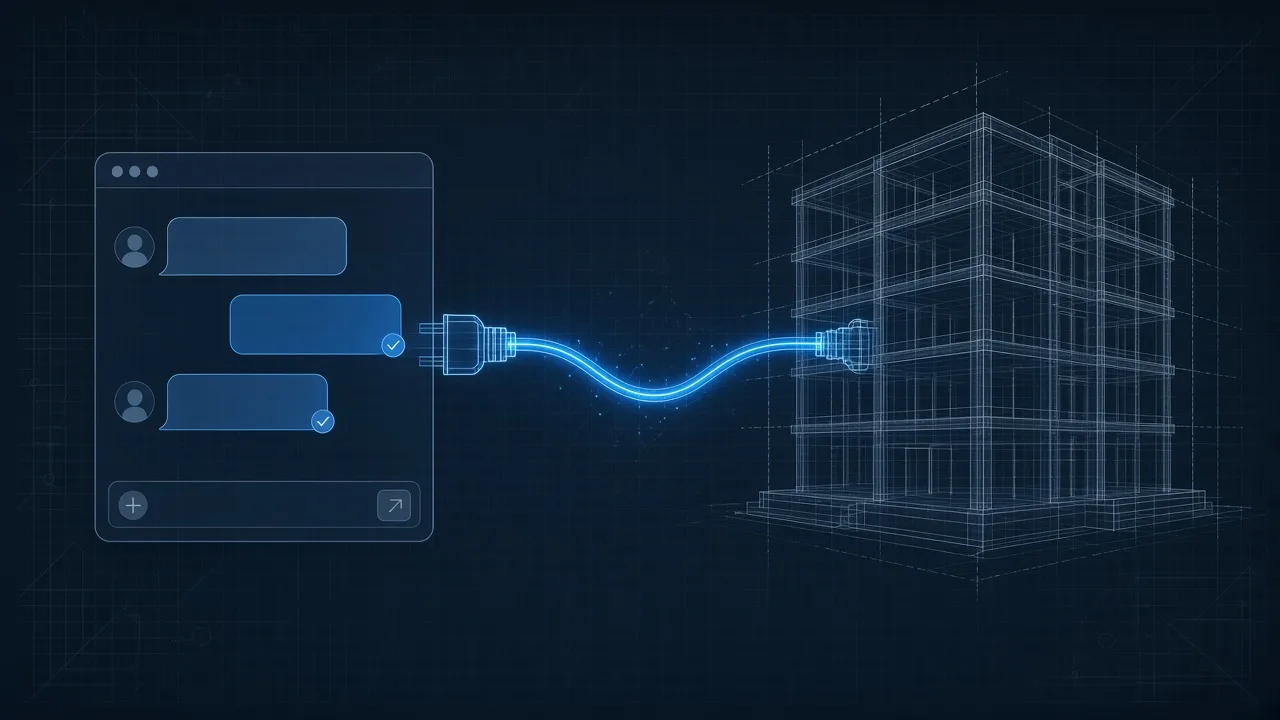
Path two: someone who can actually touch Revit. The same request arrives in the app where you already talk to the AI — Claude Desktop, Cursor, or Cline — but this time there is an intermediary plugged in, like a waiter between your table and the kitchen. The app shows what that intermediary can do. The AI picks an action from that list. The intermediary enters Revit and runs it. Back comes a result with units, with IDs, or a real error: “the model is not open,” “that level does not exist.”
That is the difference. If the intermediary is not connected, a chat invents. A serious system stops and says so. That is the line between a pretty demo and something you can use on a project.
The piece that makes path two possible has a name: MCP. Model Context Protocol. It is not an app. It is not a plugin. It is not a smarter model. It is the plug — or, if you prefer, the remote control: it does not cook the dish, but it carries the order to whoever can touch it.
This note is part of the series on the AI harness for civil engineering. Here we are on H-03 Tools: bounded hands. What follows is a desktop demo, not a client case. If something fails, it should be seen to fail.
What MCP is, without Silicon Valley
MCP is an agreement for how the app where you use AI talks to a program such as Revit. Before, each app had to invent its own way of talking to each program. Five apps and ten programs were fifty different conversations to maintain.
MCP proposes a common plug. The app where you type asks: “what can you do?” The plug answers with its list. You do not need a different translator for every pair.
Three kinds of things travel on that cable. In software jargon they are tools, resources, and prompts; in the office they read like this:
Actions (tools). An action with clear rules. Create a wall. Filter by level. Export a schedule. It says what goes in and what comes out. The AI does not type blindly inside Revit: it picks a name from the list and the plug executes it inside the program.
Data (resources). A datum, not an action. The open model. A sheet. A schedule. The AI reads it; it does not invent it.
Recipes (prompts). A suggested way to ask for something. It is not the calculation. It is not the signature.
If you keep one picture: the app is the table where you ordered; the plug is the waiter who actually enters the kitchen (Revit); the AI only picks the next step from the menu. The number, the wall, or the error did not come from the conversation. They came from Revit.
The first time you hear “client” and “server” on this topic, translate them like this: client = the app where you type; server = the plug that can open and move things inside Revit.
What exists today, and how much it weighs
The question that appears at once: is this from Autodesk? Can I install it already?
Today, what exists and can be tried is community-built and free. It is not official.
There is a project called revit-mcp. A maintained fork, LuDattilo/revit-mcp-server, lists 138 tools and covers Revit 2023 to 2027. It includes a chat panel that docks inside Revit. Another, Demolinator/revit-mcp-server, uses pyRevit and lists 48 tools. Those numbers are what the repositories publish; I did not audit them one by one.
Autodesk talks about MCP. Its official server for Revit is listed as coming soon, with no public details at the time of writing. I will not sell it as if it were already in your install.
Outside Revit there are more hands, with the same logic and different maturity. mcp-calculix connects Gmsh and CalculiX. ODA announces MCP servers for DWG, STEP, and IFC. Civil 3D has community bridges, not official ones. None of these is an engineering agent. They are hands. Hands you plug in.
If you install it one afternoon and see the model respond, that is real. If you conclude you already have an automatic engineer, that is not.
Five things the plug does not give you
Installing an MCP does not turn you into an AI-ready practice. It lets you plug in a hand. Five confusions show up the same day.
First. “I installed an MCP, I already have an agent.” No. You have a plug. Permissions, memory, a stop, and a signature are still missing. That is the harness.
Second. “The MCP opens my model by itself.” No. Someone has to have Revit open, the plug running, and the app connected. If any of the three is missing, there is no hand.
Third. “If the tool fails, the model fills in the datum.” That is exactly what must not happen. If the tool fails, the system stops. If the model fills the gap, you are back on path one.
Fourth. “A code MCP is good enough for structures.” A file plug is not an analysis engine. A Revit MCP is not OpenSees. Each hand does a family of things. Do not mix them.
Fifth. “The server signs.” The server does not sign. The AI proposes. You sign. If you cannot point to which file, which version, and which tool produced the number, do not copy it into the report.
None of the five is a detail. They are the difference between a curious afternoon and an error on a drawing.
Conclusion
Keep this sentence: you ask in the app; the plug is the hand; you sign.
MCP is not the agent. It is the plug that lets the AI talk to Revit. The workshop — permissions, memory, stop, evidence — is the harness. If you are asking who is in charge once the AI can touch your files, that is the previous article. And if you have already read it, this week’s question is which hand you are going to plug in.
Do the three lines on a copy. And if the demo does not run on your machine, do not force it: write down where it stopped. That is the job, too.
Sources
- Model Context Protocol — Introduction
- revit-mcp (original project)
- LuDattilo/revit-mcp-server
- Demolinator/revit-mcp-server
- Casys AI — mcp-calculix
- ODA — MCP Servers
Evaluation and limitations
Treat the notes below as evaluation context, not as a verified calculation or code check.
Evaluate MCP as H-03 of the harness: tools with a contract, permissions, and evidence — not as a magic Revit switch.